
Lappu AI Journal
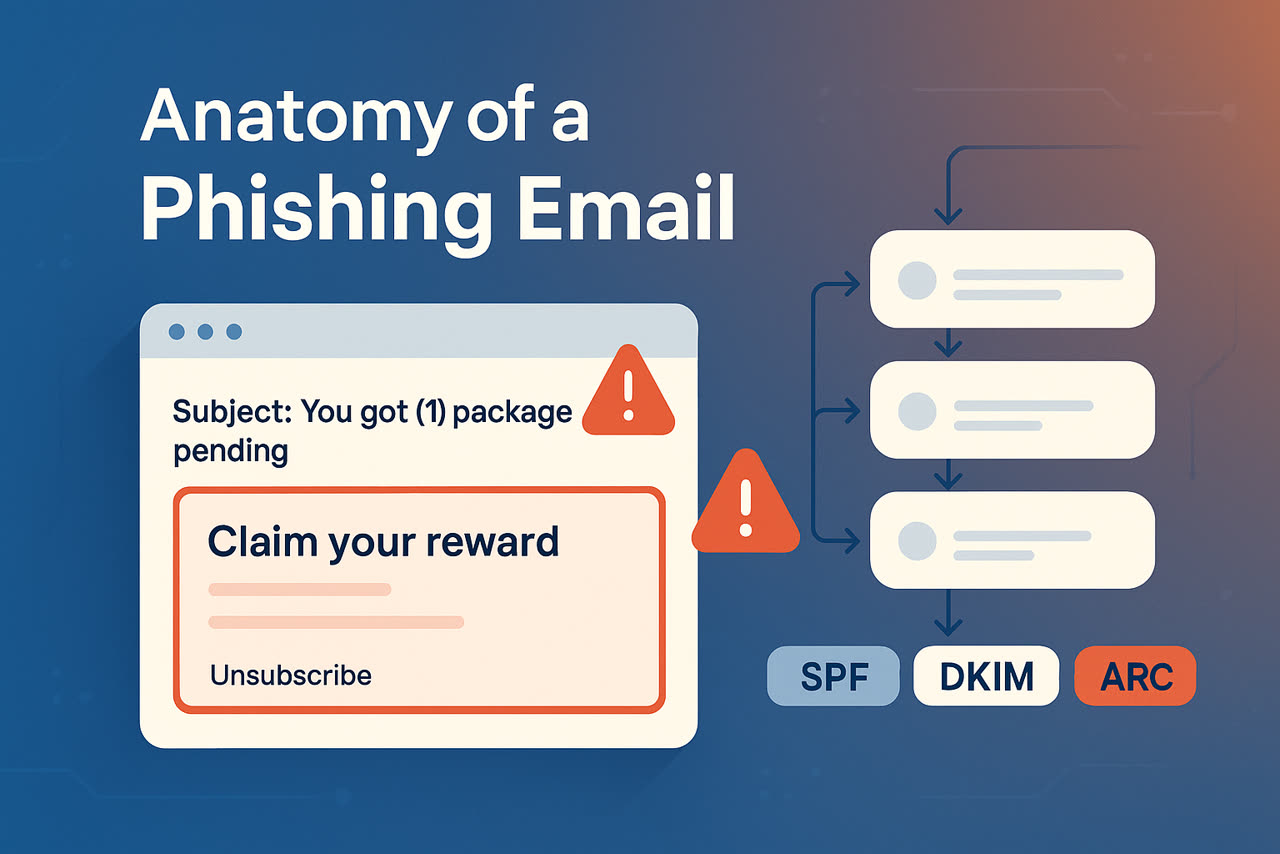
Anatomy of a Phishing Email
Phishing clues included a suspicious subject, bold red formatting, and identical unsubscribe and reward links. Header analysis exposed mismatched IPs, nonexistent domains, unrelated hostnames, missing DKIM keys, and inconsistent ARC authentication. Together, these anomalies confirmed the email was fraudulent, highlighting the value of header inspection in detecting phishing attempts.
Disclaimer: We are not making any claims about the correctness of any of the email headers discussed in this blog post. Many of these headers in this email were forged by the sender.
Phishing remains one of the most dangerous threats to individuals and businesses today. Attackers increasingly rely on highly convincing emails that mimic trusted brands, making it difficult for users and sometimes even security tools to spot the deception. While suspicious content and unusual links are common red flags, many of the most revealing clues are hidden deeper in the message. This is where email header analysis becomes essential. By examining the technical trail left behind: IP addresses, authentication results, and relay servers you can uncover what the attacker tried to disguise, verify whether an email truly came from the domain it claims, and identify patterns that help prevent future attacks. In a world of evolving threats, knowing how to read an email’s “behind-the-scenes” data is one of the strongest defenses you can have. Looking at the email, it was clear that this is a phishing email. There were some obvious patterns in the content of the email that can be easy for humans to distinguish.
Common Phishing Indicators
1. Subject: You got (1) package pending for delivery. Use your code to track and receive it ID:374
The subject itself is a little suspicious, unless of course you are waiting for a package.
2. All of the email text is in bold red borders
A holiday celebration email might have bold red borders, but an email for supposed package delivery is suspicious with bold red bakground and borders for all the text in the email.
3. The unsubscribe link is the same as link for claiming the reward
This one required close inspection, but was easy to see that the links are same and the link is for storage.googleapis.com which is a known attack vector for drive by downloads.
Expert Phishing Indicators
Beyond what the human eye sees, technical indicators inside the headers tell an even clearer story. Using the EMail Header Analysis tool at LappuAI we looked at the hops this email message took.
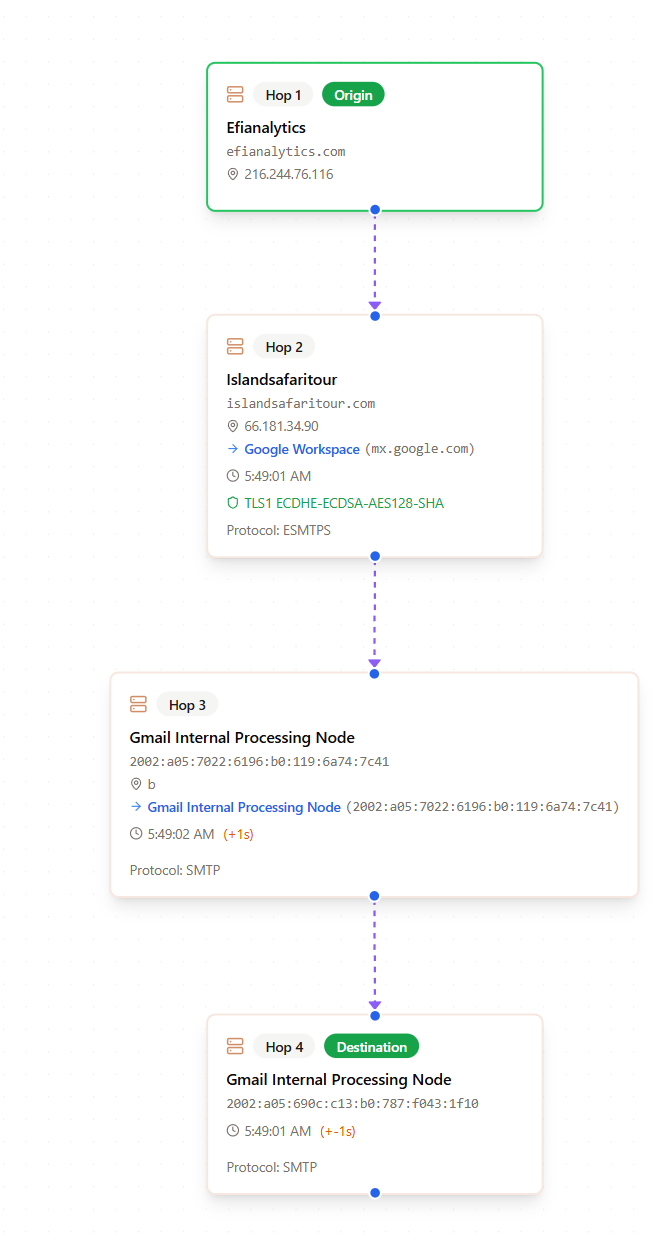 Assuming all the data in EMail Headers is accurate, we see 4 hops.
Looking closely at the actual headers representing the hops, we notice some peculiarities in the headers that prompted a closer inspection of the headers.
1. Incorrect IP Address for a domain efianalytics.com
Received: from efianalytics.com (efianalytics.com. 216.244.76.116)
Using the Lappu AI DNS tool we can see that the IP address associated with this domain is different than the one referenced in this header. A mismatch between the domain’s actual IP and the IP shown in the header often indicates spoofing.

2. Incorrect IP Address for a second domain islandsafaritour.com
The domain islandsafaritour.com resolves to multiple IP addresses (2600:1f18:4ae:c607:d1d9:565f:b122:bfdb, 2600:1f18:4ae:c608:83f8:2f9c:4a61:7b6a, 54.165.131.183, 52.44.244.98), which is normal. Though they are all different than the IP Address referenced in this header - 66.181.34.90.
3. Unrelated domains in the same header
Received: from islandsafaritour.com (cage.massiveachievement.com. [66.181.34.90])
The two domains islandsafaritour.com and cage.massiveachievement.com are unrelated. The header seems to suggest they are the same. The IP Address for cage.massiveachievement.com. 66.181.34.90 is correct.
4. From domain does not exist
From: Congratulations! <o50yzdskj6dh0x66-no_reply@google13885.com>
Look into the domain google13885.com using the Lappu AI DNS tool, you will discover that this domain does not exist.
5. ARC Authentication headers
ARC-Authentication-Results: i=1; mx.google.com;
dkim=permerror (no key for signature) header.i=@google13885.com header.s=050200 header.b=QrzoWwxz;
spf=pass (google.com: domain of 30954916899834745715.owlhydtm@artkifts.me designates 66.181.34.90 as permitted sender) smtp.mailfrom=30954916899834745715.owlHYDtM@artkifts.me
Only 1 of the hops added ARC Authentication headers, which is a warning sign. Typically most hops add ARC Authentication headers unless the hops are just for detecting spam messages or phishing emails.
6. DKIM errors
dkim=permerror (no key for signature) header.i=@google13885.com header.s=050200 header.b=QrzoWwxz;
DKIM shows permanent error, this is expected since the google13885.com does not exist and artkifts.me does not seem to have DKIM keys, or not the common ones we tend to see.
Outside of the content of the email itself, we can see that headers demonstrate multiple anomalies, which point to a potential phishing email. The email also included multiple Non Standard headers, which require a proficient level investigation into the headers. We might cover Non Standard headers in a future blog post.
Conclusion
This is just one example of a phishing email with some of the common patterns we see across various phishing scenarios we have reviewed. Phishing emails can of course have a lot of different patterns that can be deduced from the content and email headers. Consumers beware and protect yourself against Phishing and Spoofing emails. Call us for a free assessment of your email infrastructure, A DMARC, SPF, DKIM review.
Disclaimer
This blog post highligts common indicators usually seen in phishing and spam emails. We do not intend to make any assertions about which organizations or individuals are engaging in phishing. The email headers used in this blog post are real, but should be used in the context of complete EMail headers only to make concrete deductions. Reach out to us to learn more.