
Lappu AI Journal
DNS: The Quiet Hero of Email Security
DNS (Domain Name System) has a critical role in email security. DNS translates domain names into IP addresses and is publicly accessible, meaning anyone—including attackers—can view your domain’s DNS records. During email delivery, DNS handles routing via MX records and powers authentication through SPF, DKIM, and DMARC. Misconfigured or missing DNS records can result in failed email delivery, spoofing, and phishing attacks.
When it comes to email security, we often hear about spam filters, phishing scams, and spoofing. But one foundational piece quietly powers all of it: the Domain Name System (DNS). In this blog, we’ll break down DNS in simple terms and show how it plays a pivotal role in protecting your digital identity.
1. What is DNS, and Who Can Access It?
DNS stands for Domain Name System. It’s the system that translates human-readable domain names (like lappuai.com) into machine-readable IP addresses (like 104.21.21.105).
Who can access DNS?
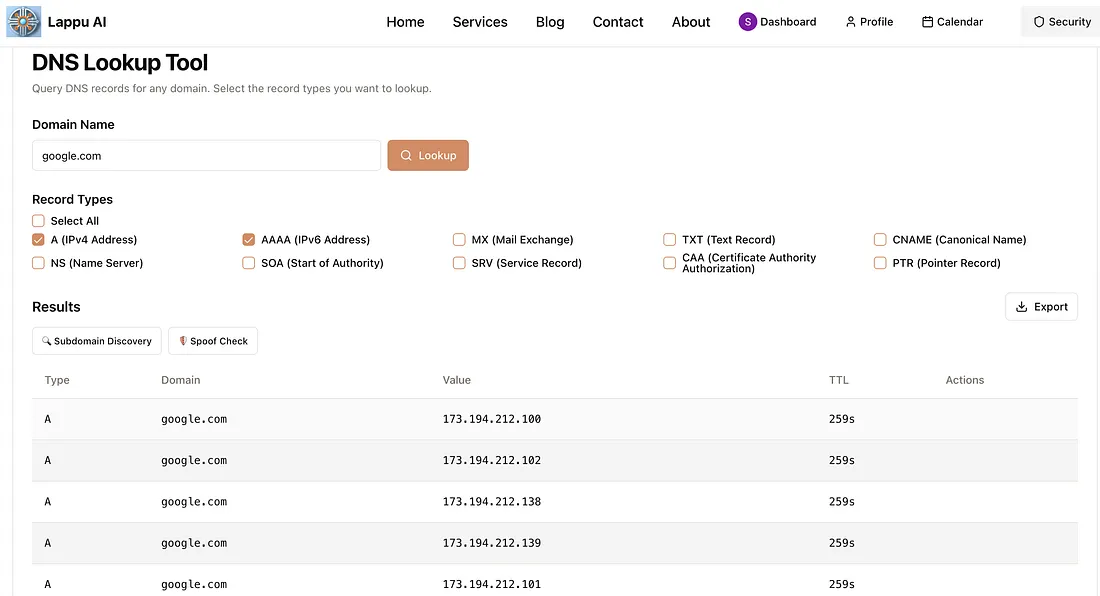
Anyone. DNS is a public system - anyone on the internet can query your DNS records using tools like nslookup, dig, or online services like MXToolbox. That includes:
- Email providers
- Hackers
- Security tools
- Your browser or device
That’s why what you put in your DNS (like SPF, DKIM, DMARC) must be secure - because it’s visible to all.
2. What is the Role of DNS during Email Transfer?
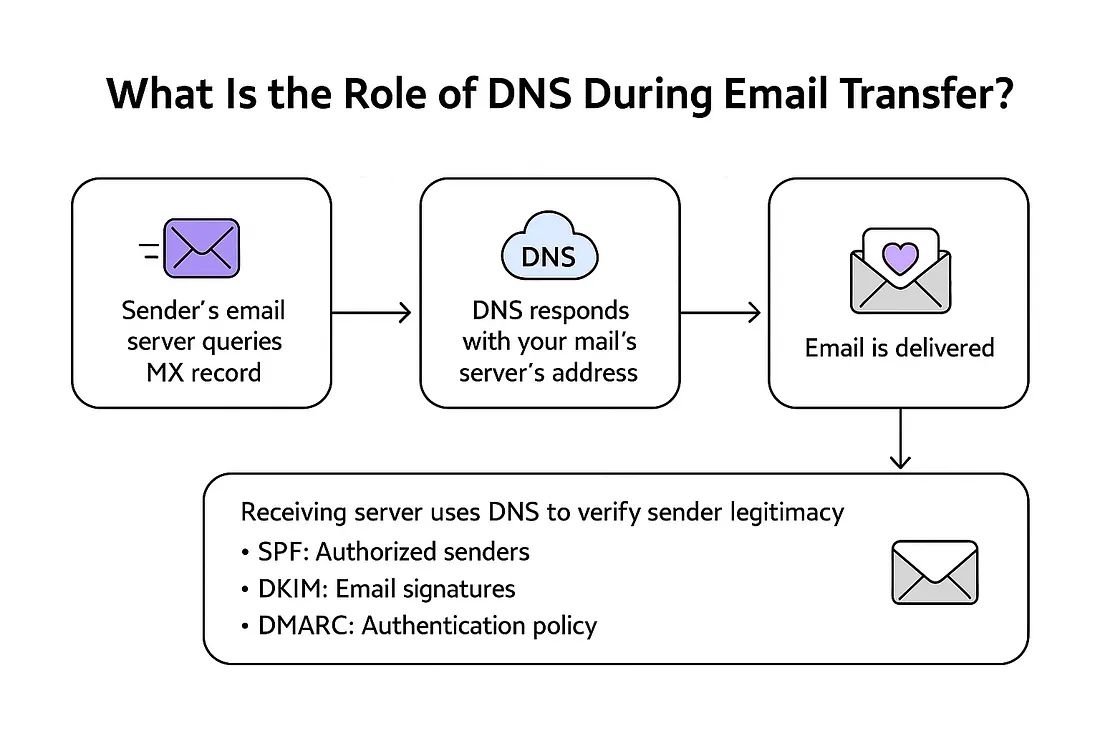
When someone sends an email to you@lappuai.com, DNS is used to determine where that email should be directed.
Here’s what happens:
- The sender’s email server queries DNS for your MX (Mail Exchange) record
- DNS responds with the correct mail server address
- The email is routed and delivered accordingly But DNS also powers email authentication:
- SPF: Specifies which servers can send on your behalf
- DKIM: Provides a public key to verify digital signatures
- DMARC: Defines how to handle emails that fail SPF or DKIM
DNS is the backbone of secure email delivery. If it’s misconfigured, legit emails can fail, and malicious ones might get through.
3. How is DNS Vulnerable?
Since DNS is publicly accessible and often misunderstood, it’s an easy target. Common vulnerabilities:
- Open access - Anyone can read your DNS records
- Misconfigurations - Typos, outdated records, or missing SPF/DKIM
- No DMARC policy - Allows spoofing without consequences
- No DNS monitoring - You may not notice changes or tampering Most DNS issues aren’t technical failures - they’re due to neglect or misconfiguration.
4. What are the Threats?
Here’s what can happen when DNS is not secure:
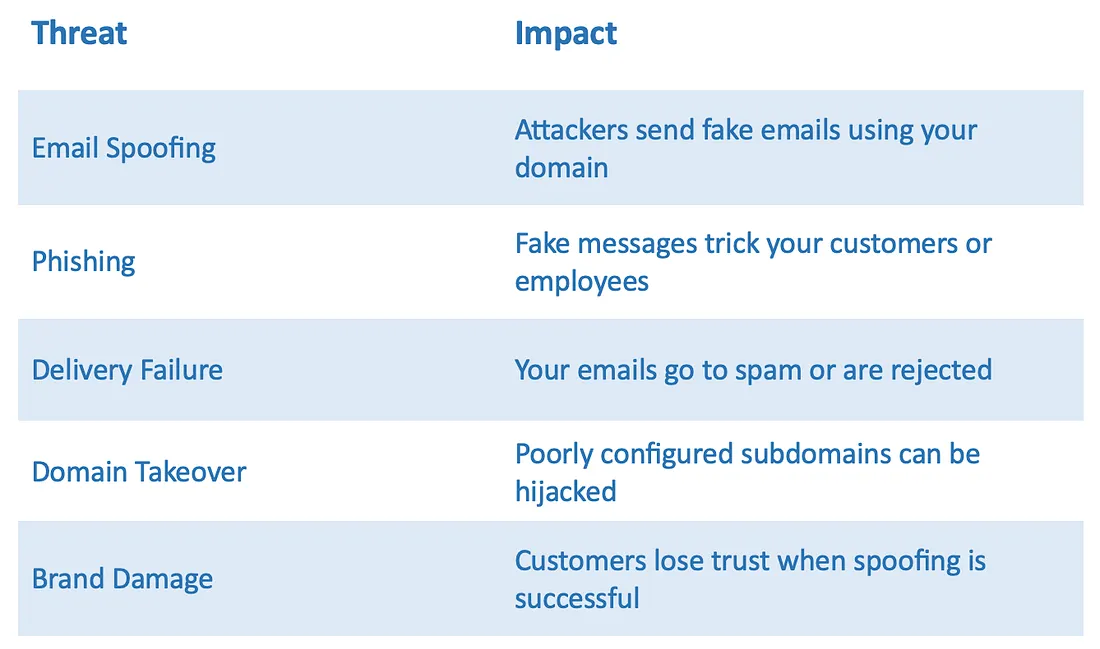 You don’t need to be hacked - your DNS needs to be ignored.
5. How can an Email Security System help protect DNS?
Platforms like Lappu AI help organizations:
- Check your DNS records instantly
- Spot missing or misconfigured SPF, DKIM, and DMARC
- Detect open or vulnerable subdomains
- Explain what each record does
- Send alerts when DNS changes unexpectedly DNS isn’t just a technical setting - it’s the first line of defense for email security.
Recap
- DNS translates names to IPs - and directs where emails go
- It’s public and powerful - and needs protection
- Misconfigurations leave your domain open to abuse
- Platforms like Lappu AI keep you ahead of DNS-based threats.
Check www.lappu.ai for automated DNS protection and email security insights.