
Lappu AI Journal
Phishing or Legit? A Real-Life Email Security Walkthrough.
Demonstrate how to verify the authenticity of suspicious emails using a real example involving an unsolicited message.
IntroductionPhishing emails have become increasingly sophisticated, using familiar branding, authentic-looking language, and even passing SPF/DKIM/DMARC checks. So, how can you tell if an email is truly from the company it claims to be?In this blog, I’ll walk you through a real experience I had with a suspicious-looking email from Verizon. I’ll show you how I verified its authenticity using standard tools and techniques that anyone can use.💡 Goal: Help you identify and verify potentially suspicious emails using real-world, practical steps.## Step 1: The Suspicious Email ArrivesI received an email from Verizon Talent Acquisition informing me that they had added my resume to their talent community. The email invited me to click a link to confirm my interest or opt out.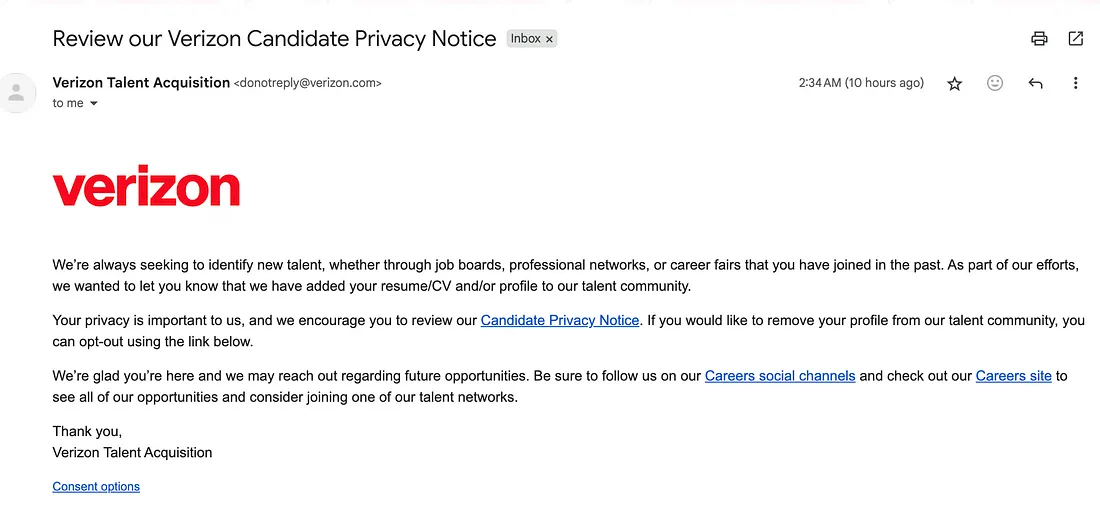
My first thought: this could be a phishing attempt. Here’s why I was cautious:
- I wasn’t actively applying for Verizon roles
- The email was unsolicited
- It asked me to click on a link## Step 2: Basic Visual InspectionI started by checking for common phishing red flags:✅ Professional formatting
✅ No grammar or spelling mistakes
✅ “Verizon” branding looked intact
✅ A sender name that appeared legitimate
✅ No sense of urgency or scare tacticsStill, appearance alone is not enough. It was time to go deeper.
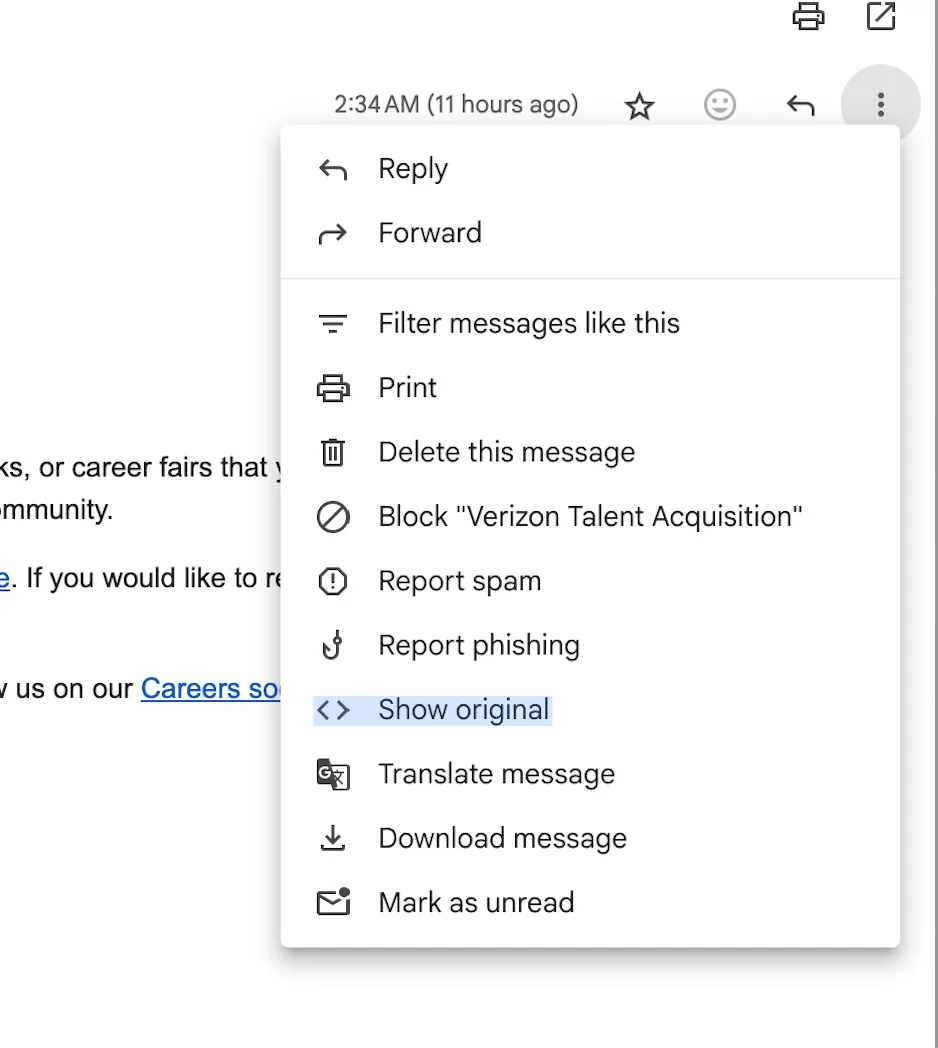
Step 3: Email Header & Authentication CheckUsing Gmail’s “Show Original” feature, I examined the email headers and checked the authentication protocols.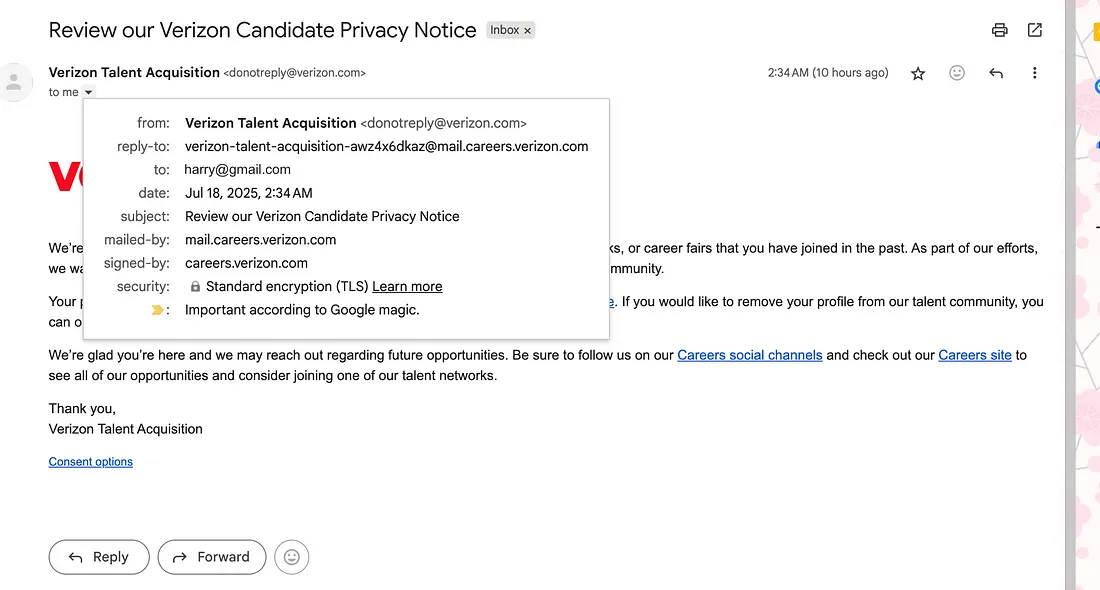
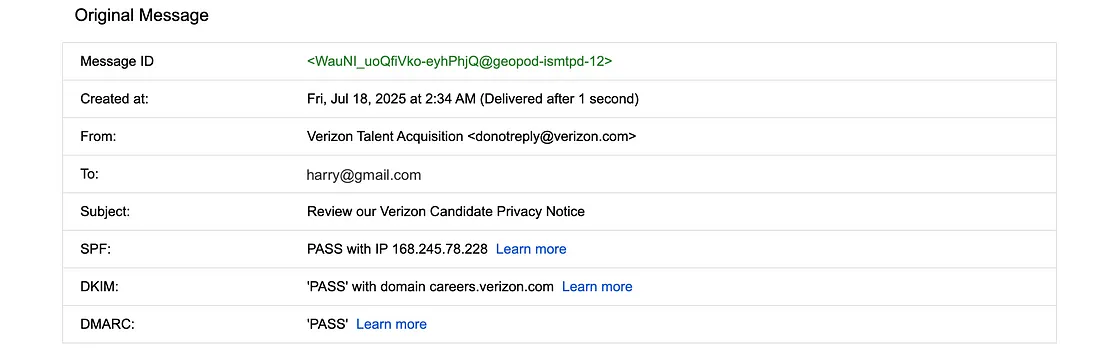
- ✅ SPF: Pass
- ✅ DKIM: Pass
- ✅ DMARC: Pass
- ✅ TLS encryption
- ✅ Sent from a subdomain of mail.careers.verizon.com
This gave me some confidence that the email might be legitimate. Note: SPF = Sender Policy Framework, DKIM = DomainKeys Identified Mail, DMARC = Domain-based Message Authentication, Reporting & Conformance.## Step 4: Cross-verifying Through Official Channels
Rather than click on the link in the email, I:
- Opened a browser
- Navigated to the official Verizon Careers site
- Manually signed up for the Verizon Talent Community
Within minutes, I received a welcome email.
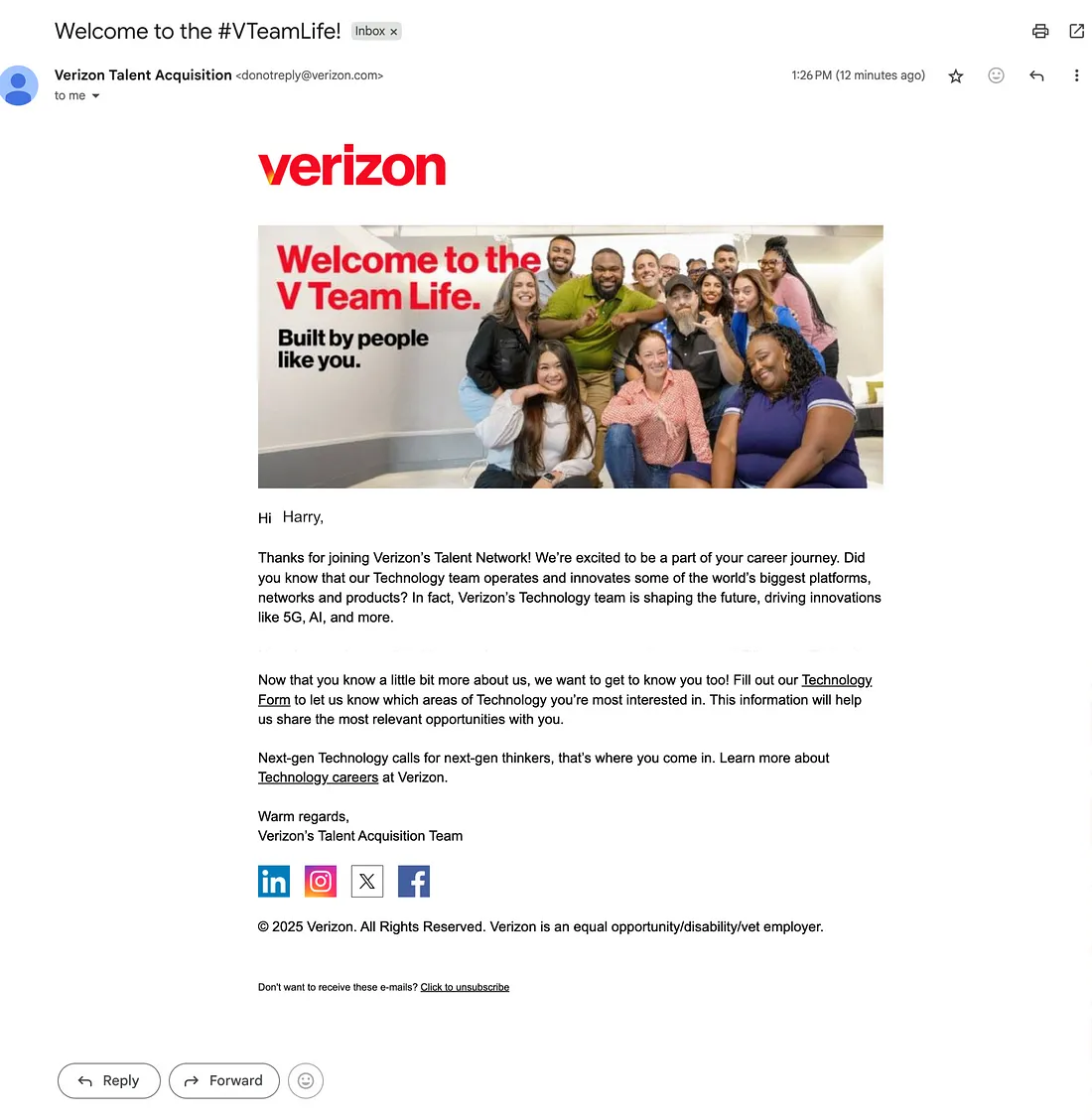
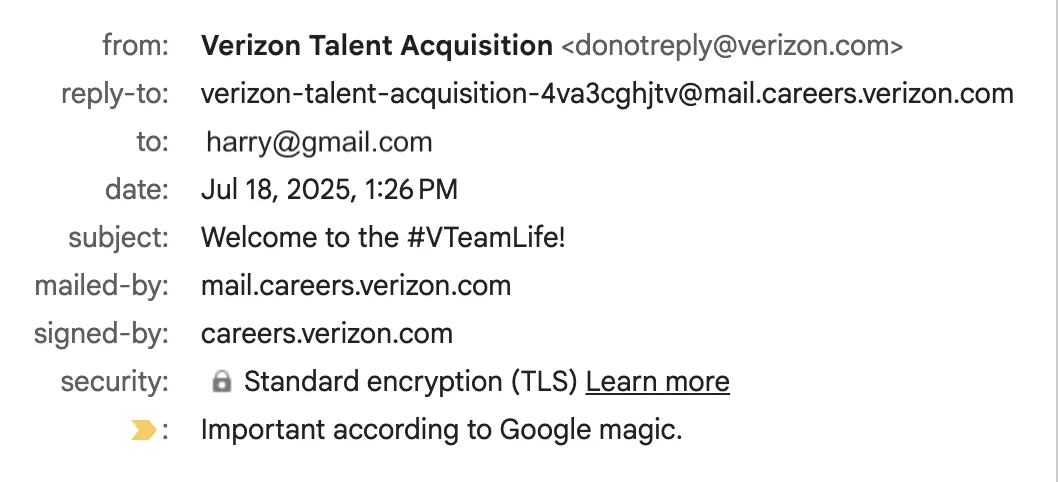
Step 5: Comparing the Two EmailsHere’s a side-by-side comparison of the original and welcome emails: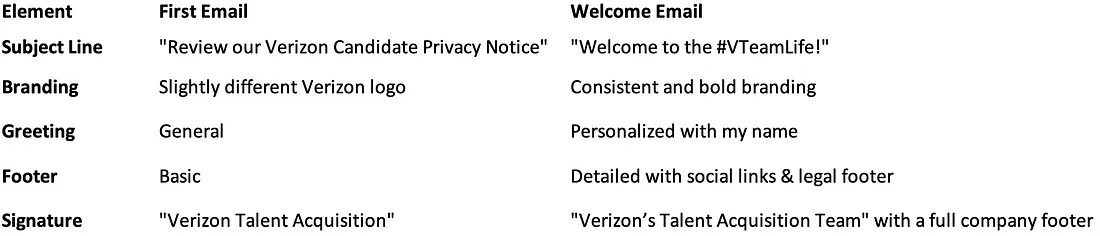
Step 6: Final Analysis + DNS VerificationEverything in the original email checked out across multiple dimensions:- ✅ Email headers matched Verizon’s trusted domains
- ✅ SPF, DKIM, and DMARC all passed authentication
- ✅ Content tone and formatting appeared consistent with corporate communication
To go a step further, I performed a DNS record lookup using Lappu AI’s DNS Tool.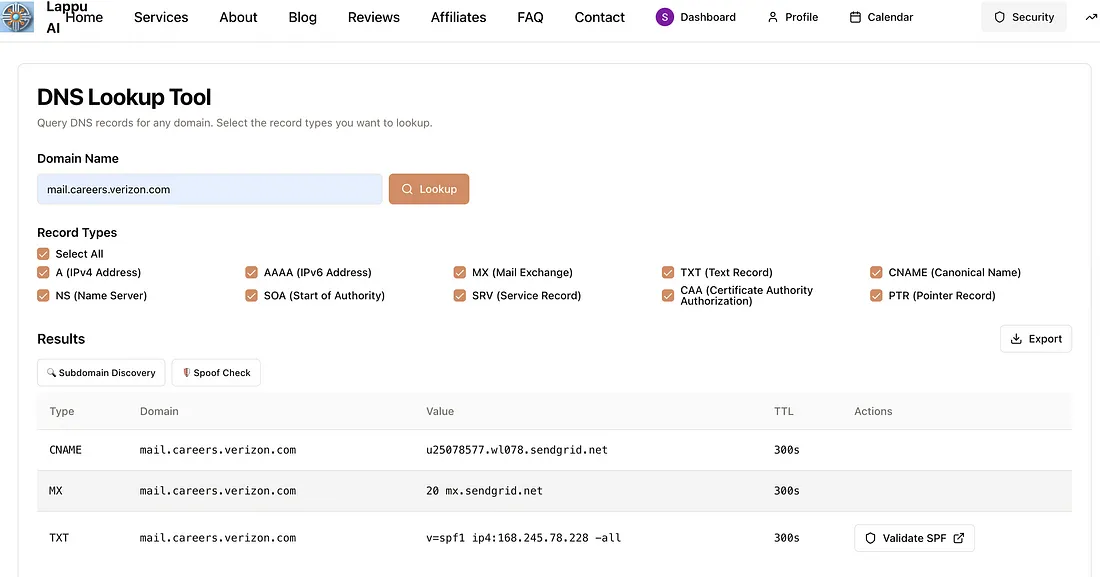
From the results:- CNAME and MX records confirm that mail.careers.verizon.com is a legitimate subdomain.- The DNS trace shows email traffic from this domain is verifiedrouted through SendGrid servers — a trusted third-party email delivery service frequently used by enterprises like Verizon.This reinforces the likelihood that the email is not spoofed.## Conclusion
The original email was genuine. The differences in appearance between the first and follow-up emails are likely due to different templates used for initial privacy notices vs. welcome campaigns.
🔍 For high-stakes scenarios or enterprise environments, it’s always best to bring in professional analysis.## Key Takeaways: How to Spot a Phishing EmailHere’s a quick checklist you can use:✅ Check the sender domain — typos and lookalikes are red flags
✅ Use “Show Original” in Gmail to inspect SPF, DKIM, and DMARC
✅ Don’t click links blindly — go to the official site directly
✅ Check for branding inconsistencies, spelling errors, and lack of personalization
✅ Compare with known legitimate emails from the same sender
✅ Look for unsubscribe links and social media handles — phishing emails often lack these
Final WordsEven emails that pass every technical check might still be phishing attempts. And sometimes real emails look suspicious. That’s why a zero-trust mindset and careful analysis are essential.
🛡️ **Trust, but verify.**Feel free to share your own experiences in the comments or reach out if you’d like help improving your organization’s email security posture.## 🛡️ Pro Tip:If you want to validate whether an email came from the domain it claims to, use Lappu AI’s DNS Lookup to inspect CNAME, MX, and TXT records.
Need help analyzing a suspicious email?
👉 Connect with Lappu AI’s Email Security Professionals for full-stack validation and domain vetting.