
Lappu AI Journal
Securing Client Information in a Tax Practice: A WISP Is Only the Beginning
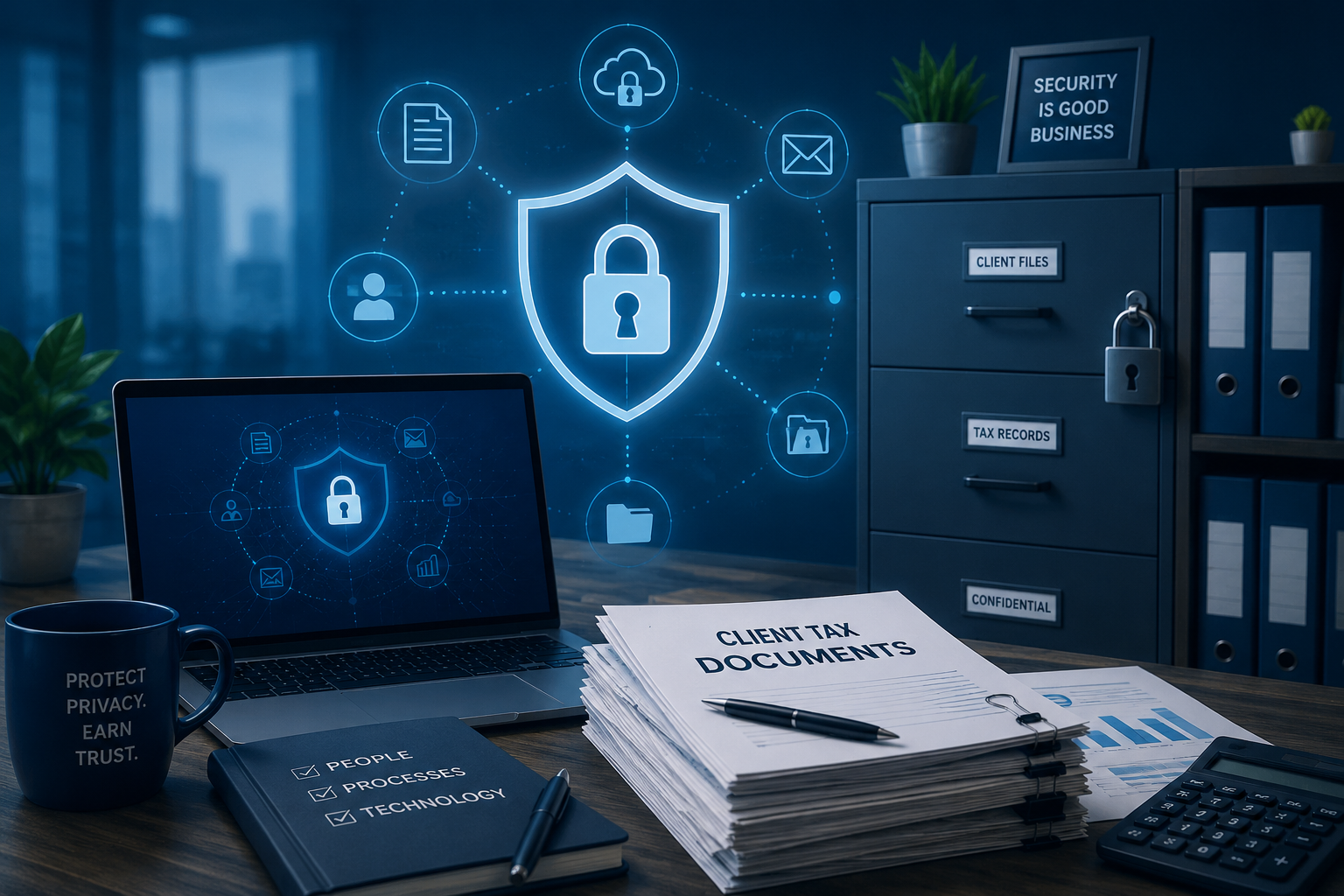
A Written Information Security Plan is the starting point for tax and accounting firm security, but real client protection depends on everyday controls around passwords, physical files, remote access, cloud tools, staff training, and accountability.
Securing Client Information in a Tax Practice: A WISP Is Only the Beginning
Tax and accounting firms live in a position of deep trust.
Clients share their most sensitive financial details with their tax preparer or accountant. They send W-2s, 1099s, bank statements, payroll records, Social Security numbers, business revenue details, K-1s, entity documents, and personal family information. In many cases, the tax practice knows more about the financial life of a client than almost anyone else.
That trust creates responsibility.
For many small tax and accounting practices, the conversation about client data security starts with compliance. That is understandable. Federal and state authorities require firms to protect sensitive client information. The IRS and Security Summit partners remind tax professionals that a Written Information Security Plan, or WISP, is required. The FTC Safeguards Rule also requires covered financial institutions to develop, implement, and maintain an information security program with administrative, technical, and physical safeguards designed to protect customer information.
This compliance framing matters. It gives firms a reason to start. It gives owners and office managers a formal structure. It makes the responsibility visible.
But in our experience working with tax and accounting practices, we have learned an important lesson:
A WISP is not the finish line. It is the beginning.
The real work begins when a firm looks honestly at how client information is handled every day, both digitally and physically.
Small Businesses Are Nuanced
Most tax and accounting practices are small businesses. That matters.
A small firm is not a bank. It is not a national accounting network with a large internal security team. It may have one owner, a few preparers, seasonal staff, an office manager, and an outside IT provider. During tax season, everyone is busy. Client files come in quickly. Emails pile up. Staff members are trying to help clients, meet deadlines, fix portal issues, answer phone calls, and keep the practice moving.
In that environment, security decisions are often made in small moments.
Someone shares a password because a client is waiting.
Someone leaves a drawer unlocked because they are coming back to it later.
Someone uses a shared mailbox because it is convenient.
Someone gives an outside vendor admin access because there is no time to create a separate account.
Someone installs remote access software because it makes support easier.
None of these choices usually happen because people do not care. They happen because the office is busy, the team is small, and the workflow has grown organically over years.
That is why security for small tax and accounting firms has to be practical. It cannot be a binder on a shelf. It cannot be a document written once to satisfy a requirement. It has to match how the firm actually operates.
The Gap Between Written Policy and Daily Practice
A written security plan is valuable. It forces a firm to think through risk. It creates accountability. It documents who has access to information, where information is stored, how incidents are handled, and how the firm protects client data.
But a written plan only helps if the firm follows through.
We have seen firms that understand the importance of client privacy in principle, but still have serious gaps in day-to-day practice. The most common gaps are not exotic. They are basic, operational, and very human.
Shared passwords are one of the biggest examples. In many small firms, employees share passwords for admin accounts, website tools, email systems, tax software, bookkeeping platforms, or client portals. Sometimes everyone knows the same password. Sometimes the password is written down. Sometimes the password belonged to an employee who left years ago.
This creates two problems.
First, the firm no longer knows who did what. If everyone uses the same account, there is no reliable accountability. Second, the firm cannot easily remove access when someone leaves. Changing a shared password becomes disruptive, so it often does not happen.
A password vault is a practical solution to this problem. It allows each person to have appropriate access without needing to know or reuse shared passwords. It allows the firm to revoke access when roles change. It creates a cleaner process.
Yet some firms resist password vaults. They see them as extra work, an unnecessary subscription, or something too technical for the office. That hesitation is understandable, but it is also risky. For firms handling tax and financial records, continuing to rely on shared passwords is not a neutral choice. It is a security weakness that can be fixed.
Physical Security Still Matters
When people talk about cybersecurity, they often focus on email, passwords, firewalls, antivirus software, and cloud applications. Those are important. But tax and accounting practices also handle paper.
Physical security still matters.
We have seen client documents accepted and stored in public or semi-public mailboxes. We have seen sensitive tax documents placed where other tenants in a building could access them. We have seen client files stored in unlocked drawers, in unlocked rooms, in shared facilities.
This is not just a technical issue. It is a trust issue.
A client may assume that once they hand documents to a tax office, those documents are protected. They may assume there is a controlled chain of custody. They may assume only authorized people can see their information.
The firm should be able to say that those assumptions are true.
A small practice does not need an elaborate physical security program to improve. It can start with simple questions:
- Where do client documents arrive?
- Who can access them before the firm retrieves them?
- Are physical files locked when not in use?
- Are rooms containing client files locked when unattended?
- Are old records securely destroyed when retention periods expire?
- Is there a documented process for handling documents from intake to storage to disposal?
These are basic questions, but they matter. A WISP should not only describe digital systems. It should reflect the real movement of client information through the office.
Security Theater Is Not Security
There is a temptation in security to sound more secure than you are.
This happens in many industries, not just tax and accounting. People use technical language. They mention servers, networks, remote access tools, encryption, or special devices. They describe a process in a way that sounds sophisticated to a nontechnical client.
But a technical-sounding explanation is not the same as a secure practice.
We have seen situations where a firm described its document storage process in a way that sounded complex and controlled. On closer inspection, the explanation did not meaningfully reduce risk. It created the appearance of security without the discipline of security.
This is where firms need to be honest with themselves.
Awards, reputation, years in business, local name recognition, and confident explanations do not protect client data. Neither does a clever-sounding setup if the underlying controls are weak.
Security theater can be dangerous because it gives everyone false comfort. The owner feels covered. The staff assumes someone else has handled the risk. The client believes their information is protected. Meanwhile, the real exposure remains.
A determined person looking for sensitive financial details may not care how reputable the firm is. They may look for the easiest path: an unlocked mailbox, an exposed password, a stale admin account, an unmonitored remote access tool, or a shared computer with weak controls.
The better approach is simpler and stronger: be honest about the current state, identify the real risks, and fix them one by one.
Remote Access Tools Need Special Attention
Remote management software can be useful. Many small businesses depend on outside IT providers, and remote access tools make support faster and less expensive. During tax season, when a computer problem can stop work immediately, remote support can be very helpful.
But remote access also creates risk.
If remote management software is installed on laptops or desktops in a way that allows access without clear user consent, explicit privilege controls, or strong oversight, it should be treated as a major red flag.
A tax practice should know:
- Which remote access tools are installed on each machine
- Who can use those tools
- Whether access is attended or unattended
- Whether access is logged
- Whether multi-factor authentication is enforced
- Whether former vendors or former employees still have access
- Whether staff can see when a remote session is active
- Whether access is limited to specific support needs
Remote access tools should not be invisible back doors into systems containing client data. They should be documented, controlled, monitored, and reviewed.
This is especially important for small firms that rely heavily on outside IT support. Outsourcing IT support does not outsource responsibility. The firm still needs to understand who can access client information and under what conditions.
Cloud-Based Does Not Mean Risk-Free
Many firms have moved much of their work to cloud platforms. Tax software, bookkeeping software, payroll tools, document portals, email, file storage, CRM systems, and practice management tools are increasingly cloud-based.
This can improve security. Reputable cloud providers often have stronger infrastructure, better uptime, better patching, and more mature security controls than a small firm could build on its own.
But cloud-based does not mean risk-free.
The local desktop or laptop is still the doorway into the cloud. If an attacker controls the local device, steals browser sessions, captures passwords, or tricks a user into approving access, the fact that the application is cloud-hosted may not save the firm.
That is why endpoint security still matters. Device hygiene still matters. Browser security still matters. Login monitoring still matters. Multi-factor authentication still matters. Staff training still matters.
Installing an old-school antivirus product is not enough to address the modern threat environment. Antivirus may catch some known malware, but it does not solve password reuse, phishing, session theft, malicious browser extensions, exposed remote access tools, shared admin accounts, or poor access control.
Modern security requires layers. For a small tax or accounting practice, those layers do not need to be perfect on day one. But they need to exist, and they need to improve over time.
ChatGPT Can Help, But It Is Not a Substitute for Expertise
AI tools can be useful. They can help a firm understand terminology, draft policies, prepare checklists, and ask better questions. For experts, AI can speed up work. It can help organize thoughts, compare approaches, and produce documentation more efficiently.
But AI is not a substitute for experienced security guidance.
For beginners, AI may explain concepts, but it may not know the firm's actual environment. It may not understand which risks matter most in that specific office. It may not know which systems contain client data, which vendors have access, which passwords are shared, which devices are unmanaged, or which remote tools are installed.
Security guidance has to be relevant to the firm's reality.
A generic checklist is better than nothing, but it can also create false confidence. A firm may complete a template and still miss the biggest risks in its actual workflow. The goal is not to produce impressive paperwork. The goal is to protect client information.
What Following Through Looks Like
Following through does not mean a small firm has to become a cybersecurity company. It means the firm takes reasonable, concrete steps that match the sensitivity of the information it handles.
For many tax and accounting firms, that starts with a few practical actions. This list is not exhaustive, and it is not meant to replace a full WISP review or a detailed security assessment. Every firm has a different mix of systems, vendors, staff, clients, and workflows. The point is to show the kind of practical follow-through that turns a written plan into real protection.
- Stop sharing admin passwords.
- Use a password vault and individual accounts.
- Require multi-factor authentication for email, tax software, bookkeeping tools, portals, and remote access.
- Review who has access to every major system.
- Remove access for former employees, former contractors, and old vendors.
- Inventory laptops, desktops, cloud services, email accounts, and remote access tools.
- Lock physical files and control document intake.
- Use secure client portals instead of ordinary email whenever possible.
- Monitor email authentication and domain spoofing risk.
- Train staff on phishing, document handling, and suspicious requests.
- Document what happens if client data is lost, stolen, or exposed.
- Review the WISP regularly and update it when systems, vendors, staff, or workflows change.
These steps are not glamorous. They are not complicated for the sake of being complicated. They are the foundation.
The firms that improve security usually do not do everything at once. They build a habit of asking better questions. They make one workflow safer. Then another. Then another.
Compliance Should Lead to Better Operations
Compliance is often presented as a burden. For small firms, it can certainly feel that way. There are forms to complete, policies to write, systems to review, staff to train, and vendors to evaluate.
But compliance can also be useful if it leads to better operations.
A good WISP should help a firm understand its own business more clearly. It should identify where client information enters the firm, where it is stored, who can access it, how it is protected, and how the firm would respond if something went wrong.
That clarity has value beyond compliance.
It helps owners sleep better. It helps office managers create cleaner processes. It helps IT managers prioritize what matters. It helps staff understand expectations. It helps clients trust that the firm takes protection seriously.
The best security practices are not separate from the business. They become part of how the firm operates.
The Responsibility Is Real
Tax and accounting firms occupy a trusted role in their communities. Many clients stay with the same preparer for years. They trust the firm with family finances, business finances, and identity information. That trust is earned over time.
Protecting that trust requires more than good intentions.
It requires written plans, but also real controls.
It requires compliance, but also daily discipline.
It requires technology, but also physical security.
It requires outside help, but also owner accountability.
It requires staff convenience, but not at the cost of client safety.
Most small firms do not need to be shamed into improving. They need practical guidance, honest assessment, and a willingness to close the gap between what the policy says and what actually happens in the office.
A WISP is the right place to start. But the real measure of security is what happens after the plan is written.
Client information is not protected by a document alone. It is protected by the everyday choices a firm makes about access, storage, passwords, devices, vendors, documents, training, and accountability.
That is the work.
And for tax and accounting practices that hold some of the most sensitive information a client will ever share, that work is worth doing well.
References
- IRS Publication 5708, Creating a Written Information Security Plan for your Tax & Accounting Practice: https://www.irs.gov/pub/irs-pdf/p5708.pdf
- IRS Publication 4557, Safeguarding Taxpayer Data: https://www.irs.gov/pub/irs-pdf/p4557.pdf
- IRS News Release IR-2025-79, IRS, Security Summit remind tax pros they must have a Written Information Security Plan to protect client data: https://www.irs.gov/newsroom/irs-security-summit-remind-tax-pros-they-must-have-a-written-information-security-plan-to-protect-client-data
- FTC, Safeguards Rule: What Your Business Needs to Know: https://www.ftc.gov/business-guidance/resources/ftc-safeguards-rule-what-your-business-needs-know